Frequently Asked Questions
What happens right after I buy?
After checkout, you'll return to Mahjong IQ with your unlimited access unlocked. Tap Open Hand Analyzer to start using it right away.
You'll also receive an email from Mahjong IQ with your access link and backup code. You can use the link anytime to open the Hand Analyzer again or access it from another device.
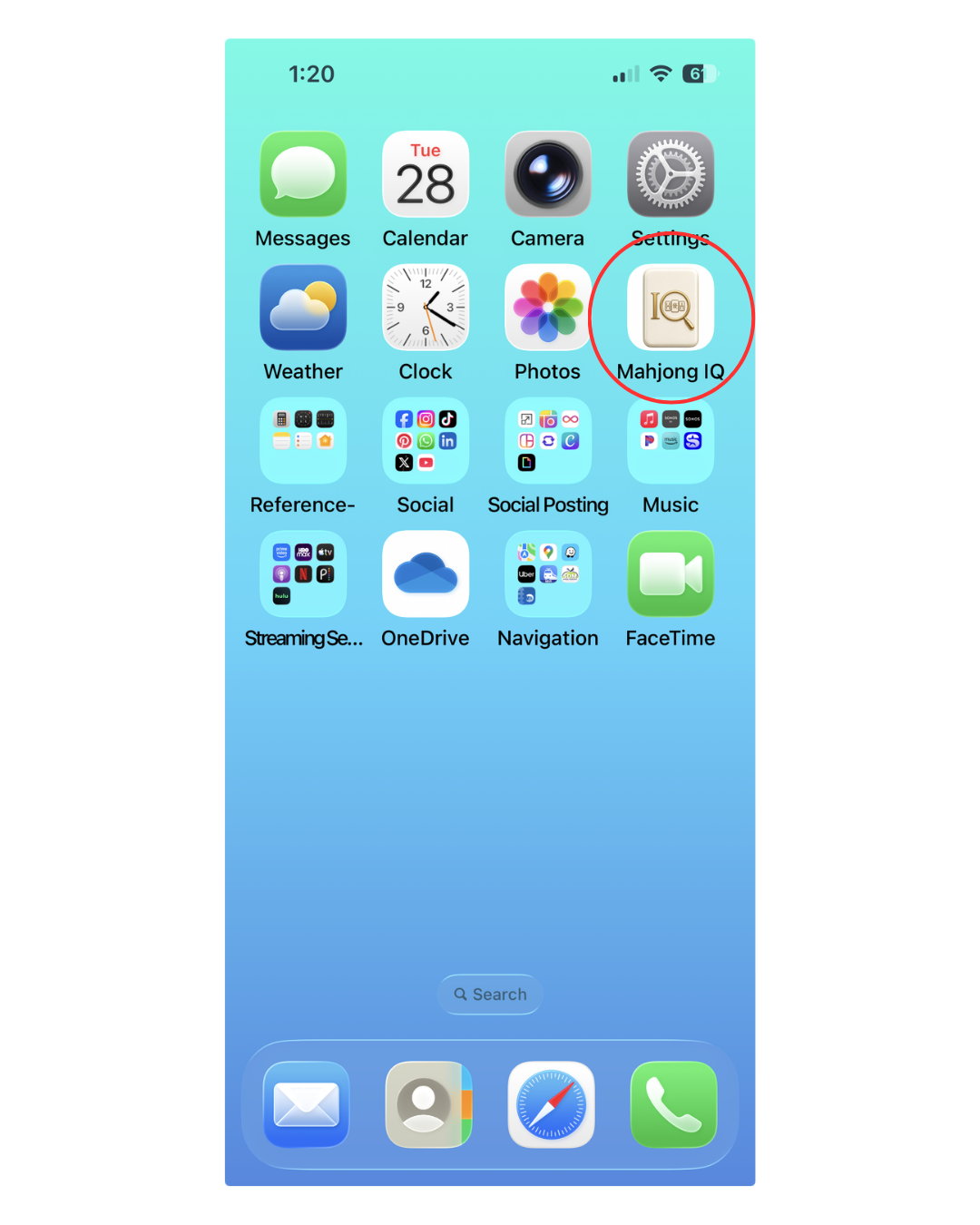
For the easiest ongoing access, we recommend adding Mahjong IQ to your Home Screen. It will appear as its own app icon alongside your other apps, so it's always one tap away. Instructions are included above.
Is Mahjong IQ an app?
Yes. Mahjong IQ is a browser-based app, which means you open it through your phone, tablet, or computer rather than downloading it from the App Store or Google Play.
On a phone or tablet, you can add Mahjong IQ to your Home Screen. It will appear as its own app icon alongside your other apps, allowing you to open the Hand Analyzer with one tap.
You only need to complete the Home Screen setup once on each device.
I bought it on my computer. How do I get it on my phone?
Open your Mahjong IQ access email on your phone and tap Open Hand Analyzer.
Once it opens, follow the instructions above to add Mahjong IQ to your Home Screen. It will then appear as an app icon alongside your other apps for easy access whenever you play.
How do I add the Hand Analyzer to my Home Screen so it looks like my other apps?
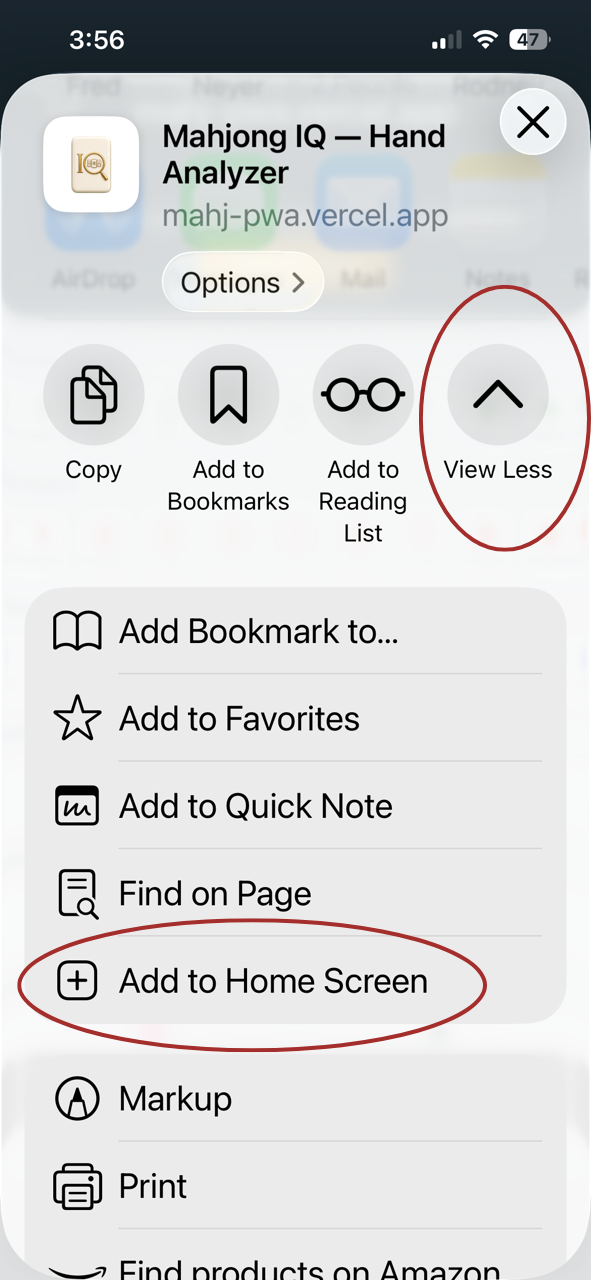
Follow the iPhone or Android instructions above.
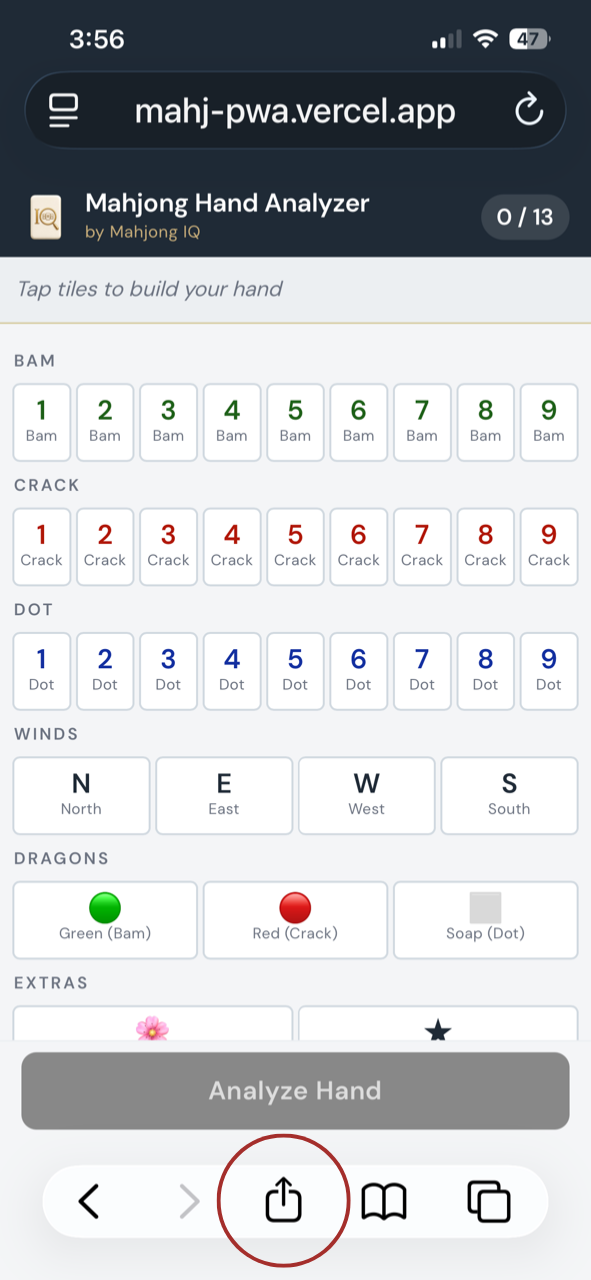
On an iPhone, you must use Safari to add Mahjong IQ to your Home Screen. You can open and use the Hand Analyzer in other iPhone browsers, but the option to create the Home Screen app icon is available through Safari.
On an Android device, follow the instructions using Google Chrome.
I got a new phone or cleared my browser. Now what?
Open your Mahjong IQ access email and tap Open Hand Analyzer again.
You can also enter the backup access code included in that email in the Already purchased? section of this page.
If you no longer have the email, contact tara@getmahjongiq.com for help restoring your access.
When should I use the Hand Analyzer?
When practicing on your own, choose a set of tiles and decide which hands you would pursue in a real game. Then analyze the hand to compare your thinking with Mahjong IQ's recommendations and explore possibilities you may not have considered.
When playing with others, make sure everyone at the table agrees to the use of Mahjong IQ so no one has an unfair advantage. It can be especially helpful before, during, or immediately after the Charleston—before the first tile is discarded.
Does it work without Wi-Fi?
Yes. Once you've opened the Hand Analyzer on your device while connected to the internet, it can continue to work without a connection.
You'll need to be online the first time so the Hand Analyzer can load and save the files it needs for offline use. We recommend opening it once before heading somewhere with limited Wi-Fi or cellular service.
Is this a one-time purchase or a subscription?
It is a one-time purchase of $14.99 for unlimited use of the 2026 Hand Analyzer.
There is no subscription and no recurring charge.
Will I receive updates to the 2026 Hand Analyzer?
Yes. Your purchase includes updates and improvements made to the 2026 Hand Analyzer during the 2026 card year, including recommendation refinements, usability improvements, bug fixes, and other enhancements.
When an update is available, you'll automatically see a notification banner inside the Hand Analyzer. Tap the Update button to load the newest version.
You will not be charged again for updates to the 2026 Hand Analyzer. A new Hand Analyzer will be released for each year's card and sold separately.
What happens when next year's hands come out?
Your purchase includes unlimited access to the Mahjong IQ Hand Analyzer for the 2026 card.
A new Hand Analyzer will be released for each year's card and sold separately. There are no automatic renewals or recurring charges.
Notice an issue or have a suggestion?
We welcome feedback that can help make Mahjong IQ even better.
At the bottom of the results screen, tap Report an Issue or Give Feedback. The form will automatically include the tiles you selected, so you can explain the recommendation, issue, or improvement you'd like us to review.
You can also send feedback through the contact form on the Mahjong IQ website.
What's your refund policy?
Mahjong IQ includes 3 free hand analyses, giving you the opportunity to try the Hand Analyzer before purchasing unlimited access.
Because Mahjong IQ is a digital product and access is delivered immediately after purchase, purchases are non-refundable once access has been provided.
If you experience a technical problem or are unable to access the Hand Analyzer, contact tara@getmahjongiq.com so we can help resolve it.